
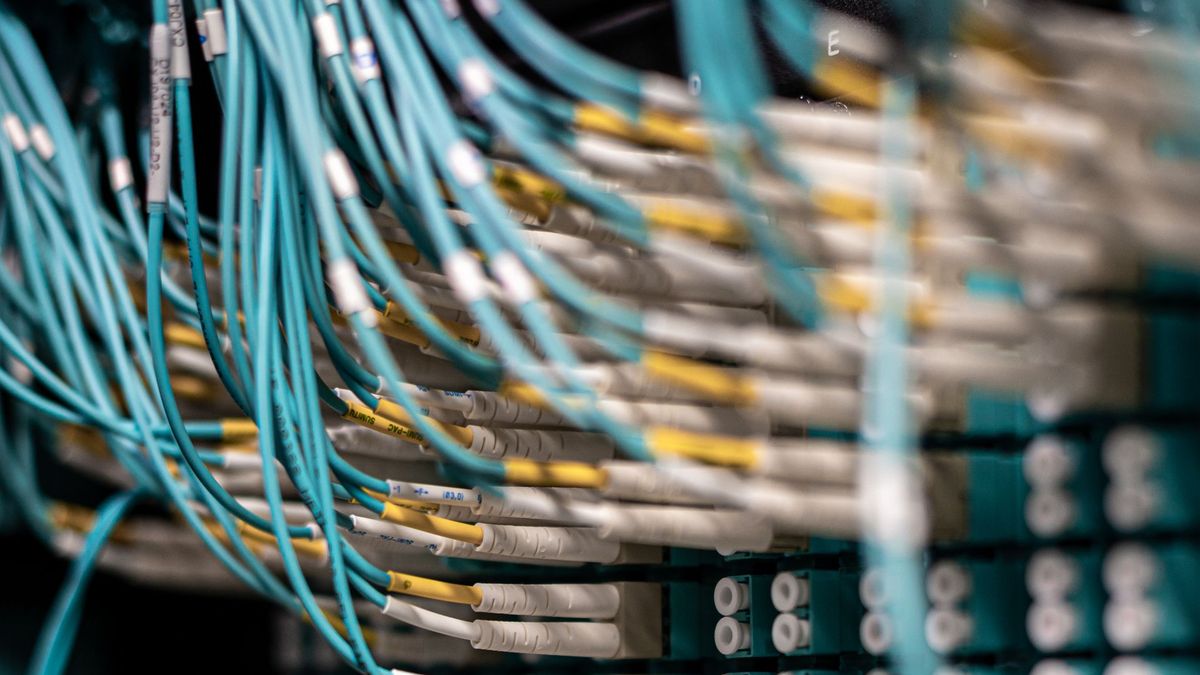
Poor network cabling causes more business problems than most people realize. Here's what structured cabling is, why cable quality matters, and how to know when it's time to rewire your office.
When businesses have slow internet, dropped connections, or mysterious network problems that come and go, the first assumption is usually that the ISP is to blame or the Wi-Fi is bad. Often, the real culprit is the cabling inside the walls.
Structured cabling is one of those foundational elements of a business network that's easy to ignore — until it starts causing problems. Here's what it is, why it matters, and when you should think about addressing it.
What Is Structured Cabling?
Structured cabling is the organized system of cables, connectors, patch panels, and related hardware that forms the physical backbone of your office network. "Structured" means it's planned and installed according to standards (TIA-568 is the main one in the U.S.) rather than just running cables wherever is convenient.
A properly structured cabling system includes:
- Horizontal cabling — runs from the patch panel to wall jacks at each workstation
- Patch panels — the organized termination point in your server or telecom closet where all horizontal runs connect
- Patch cables — short cables connecting patch panel ports to switches, and wall jacks to devices
- Cable management — trays, velcro, and organization that keeps everything neat and serviceable
A poorly structured network might be a pile of unlabeled cables stuffed behind a server, with extension cords running under carpets and random cables zip-tied to whatever was convenient. This is more common than you'd think — and it causes real problems.
Cat5e vs. Cat6 vs. Cat6A vs. Fiber: What's the Difference?
Not all network cable is the same. Here's a practical breakdown:
| Cable Type | Max Speed | Max Distance | Best For |
|---|---|---|---|
| Cat5e | 1 Gbps | 100 meters | Basic office networks, legacy installs |
| Cat6 | 1–10 Gbps | 55m at 10G, 100m at 1G | Most modern office installations |
| Cat6A | 10 Gbps | 100 meters | Higher-performance needs, wireless APs |
| Fiber (OM3/OM4) | 10–100 Gbps | 300m–400m+ | Backbone runs, long distances, data centers |
For most Chicago-area small businesses installing new cabling today, Cat6 is the right choice. It handles 1 Gbps throughout the office and can handle 10 Gbps for shorter runs, future-proofing the installation without the cost premium of Cat6A.
Cat6A makes sense if you're running wireless access points that support Wi-Fi 6 (802.11ax) at full speed, or if you have specific high-bandwidth applications.
Cat5e is fine if it's already installed and working — but if you're re-running any cable, there's no reason to install Cat5e in 2025.
Fiber is typically overkill for horizontal runs in a small office but is excellent for long backbone runs between floors or buildings, and anywhere that electrical interference is a concern.
Patch Panels: Why They Matter
A patch panel is the organized hub where all your horizontal cable runs terminate. Without one, you have individual cables running directly from each workstation to a switch — a rat's nest that's impossible to troubleshoot and modify.
With a proper patch panel:
- Every port is labeled and documented
- Moving a workstation to a different switch port takes seconds, not an hour of untangling
- Adding new ports is a clean, organized process
- Troubleshooting is much faster because you can trace any issue to a specific run
Wi-Fi Dead Spots Caused by Bad Cabling
Here's a connection people often miss: poor cabling causes Wi-Fi problems. Here's how:
-
Underpowered access points — wireless access points (APs) work best when powered by PoE (Power over Ethernet) from a managed switch. If the cabling to an AP is damaged, has too many splices, or uses a substandard cable, the AP may not get reliable power or data throughput.
-
Wrong cable to the AP location — an AP running 802.11ax (Wi-Fi 6) with a gigabit backhaul needs a clean Cat6 or Cat6A run. A degraded Cat5e run with bad terminations will bottleneck the AP.
-
APs placed wrong because cable runs didn't reach — in offices where cabling wasn't planned, access points end up in wrong locations (near the router rather than distributed throughout the space) because that's where the cable is. The result is coverage gaps.
Good cabling design plans AP locations first, then runs cable to those optimal locations.
Fluke Certification: How You Know Your Cabling Is Good
When a professional cabling contractor installs your network, they should test every run with a Fluke certification tester and provide you with a certification report.
A Fluke test verifies:
- Cable length is within spec
- No wiring errors (crossed pairs, shorts, etc.)
- Signal loss (attenuation) is within standard limits
- Crosstalk (interference between adjacent cables) is within spec
If your installer doesn't offer Fluke certification testing and documentation, that's a red flag. You have no way to know whether the cabling was done correctly, and diagnosing problems later becomes much harder.
When to Rewire Your Office
Consider new structured cabling when:
- You're moving into a new space — now is the time to do it right, before furniture and equipment are in place
- You're experiencing chronic, unexplained network problems — intermittent drops, speed inconsistencies, and connectivity issues that persist after other fixes often trace back to cabling
- You find Cat3 or Cat5 (not Cat5e) cable — these are obsolete and won't support gigabit speeds
- Your cabling has no patch panel or documentation — you inherited a mess and need to rationalize it
- You're adding significant new spaces or floors
- You're deploying new Wi-Fi 6 access points and want to ensure the backhaul supports them
Cost Ranges
Cabling costs vary based on office size, wall construction, and how far runs need to travel. Rough estimates for Chicago-area commercial installations:
- Per drop (wall jack + run to patch panel): $100–$300 depending on complexity
- Patch panel installation: $300–$800
- Full office rewire (10–20 drops): $2,000–$6,000
- Large office (50+ drops): $8,000–$20,000+
This is not the place to cut corners or hire the cheapest bidder. Cabling lives in your walls for 15–20 years. A poor installation will cost you far more in troubleshooting, downtime, and eventual remediation than doing it right the first time.
Need Help?
TechniWorx designs and manages structured cabling projects for businesses across the Chicago area, including Fluke certification testing and full documentation. Whether you're moving into a new space or troubleshooting a problem-plagued network, contact us for a free site assessment.